Written by Best Prompt Generator for AI Team Reviewed by our team before publishing — learn more about us
Nano Banana 2 is one of Google’s Gemini image models, and it can produce detailed, realistic images, including readable text inside them. But there’s a catch: detailed, structured prompts tend to give better results than vague ones.
If you’ve typed something like “a cool portrait of a woman” and gotten a flat, generic result, the problem isn’t the model — it’s the prompt. Below are 40+ copy-paste-ready Nano Banana 2 prompts across the categories people ask for most, plus the exact formula the model responds to best.
Why Nano Banana 2 Prompts Work Differently
Nano Banana 2 is designed to follow detailed, descriptive instructions rather than a pile of keywords (Google’s own image generation documentation has prompting examples). In practice, that means:
Full sentences beat keyword soup. Instead of “woman, portrait, studio, 4K,” describe it like you’re briefing a photographer.
It can work with real-world references. You can mention specific dates, brands, or events and it will try to render them, but always check the result for accuracy.
Text in images is a supported feature. You can ask for headlines, labels, or signage, as long as you specify the exact wording, font style, and placement. Check the spelling in every result.
It can keep a scene consistent. For editing or “back view” style shots, describing posture and clothing clearly helps keep details consistent, though results vary.
The Nano Banana 2 Prompt Formula
Before jumping into examples, use this simple structure for any prompt you write:
Example: “A close-up studio portrait of a young man laughing candidly, seated near a large window, soft natural side-lighting, warm and relaxed mood, shot on an 85mm lens, 4:5 aspect ratio, ultra-detailed skin texture.”
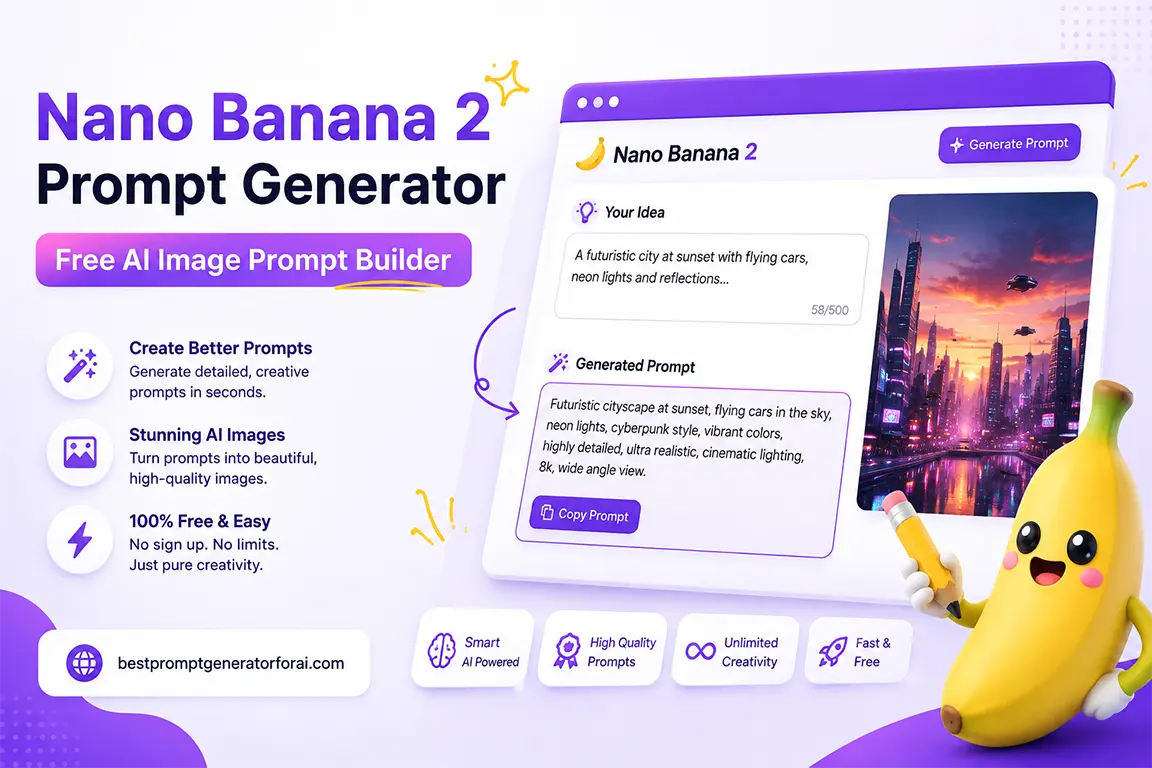
This is exactly the structure our AI Image Prompt Generator builds for you automatically — you just fill in the subject, style, and mood, and it assembles a Nano Banana 2–ready prompt in seconds.
Example Result: “A close-up, photorealistic portrait of a young woman with freckles and windswept hair, smiling softly while looking just past the camera, set in a sunlit wheat field at golden hour, with a warm and nostalgic atmosphere. Shot on an 85mm lens with shallow depth of field. Rendered with photorealistic detail, natural warm-toned lighting consistent with the scene, sharp focus on her eyes, high resolution, 4:5 aspect ratio.”
Copy and paste this into ChatGPT, Claude, or any AI model to get expert results.
40+ Nano Banana 2 Prompt Examples by Category
Portraits & People
A professional studio headshot of a woman in her 30s, confident expression, soft box lighting from the left, neutral gray background, shallow depth of field, ultra-realistic skin texture.
A candid street portrait of an elderly man laughing, shot on 35mm film, golden hour light, shallow depth of field, warm color grading.
A realistic image showing the back view of a person sitting alone in a quiet café booth, face not visible, warm interior lighting, moody and reflective atmosphere.
A black-and-white documentary-style photo of a musician mid-performance, motion blur on the hands, dramatic stage lighting.
A close-up beauty portrait with dewy skin, soft diffused lighting, minimal makeup, pastel background, editorial fashion style.
Product & E-Commerce Photography
A minimalist product shot of a glass perfume bottle on a marble surface, soft top-down lighting, subtle shadow, clean white background, commercial advertising style.
A pair of white sneakers floating mid-air against a gradient blue background, studio lighting, high-contrast commercial photography, 1:1 aspect ratio.
A flat-lay of skincare products arranged symmetrically on a linen surface, natural window light, soft pastel tones, top-down angle.
A close-up of a coffee cup with steam rising, warm café lighting, shallow depth of field, cinematic mood, blurred background.
A jewelry macro shot of a diamond ring on black velvet, dramatic rim lighting, ultra-detailed reflections, luxury advertising style.
Cinematic & Story Scenes
A cinematic wide shot of a lone figure walking through a foggy forest at dawn, cool blue tones, dramatic lighting, shot like a movie still, anamorphic lens flare.
A realistic black-and-white photograph styled like the 1970s, documenting the opening of a small train station, slight film grain, candid crowd expressions.
A dramatic low-angle shot of a city skyline at night, neon reflections on wet pavement, cyberpunk color palette, cinematic composition.
A quiet countryside scene at sunset, warm golden light over wheat fields, a single tree silhouette, painterly and nostalgic mood.
A tense courtroom scene, natural window light, muted color palette, documentary realism, shallow depth of field on the main subject.
Infographics & Text-in-Image
An infographic titled “5 STEPS TO BETTER SLEEP” in a bold sans-serif headline at the top, with five numbered icons below in a clean flat design style, soft pastel color palette, 4:5 aspect ratio.
A comparison chart graphic titled “ChatGPT vs Claude vs Gemini” with three labeled columns, minimalist icons, brand-neutral color scheme, 16:9 aspect ratio.
A motivational quote graphic with the text “Small steps every day” in an elegant serif font centered on a soft gradient background, Instagram square format.
A timeline infographic showing “The Evolution of Smartphones 2007–2026” with labeled milestones and small icons along a horizontal line.
A product feature graphic with the headline “NEW: FASTER. SMARTER. STRONGER.” in a bold condensed font, with three feature icons below.
Fantasy, Art & Illustration
A bioluminescent enchanted forest at twilight, glowing mushrooms and floating particles, fantasy digital art style, rich blue and purple tones.
A steampunk airship flying above a Victorian city at sunset, intricate mechanical details, warm amber lighting, matte painting style.
A watercolor illustration of a small cottage in the mountains, soft muted colors, gentle brushstrokes, storybook aesthetic.
A surreal floating island with waterfalls pouring into clouds below, dreamlike lighting, highly detailed digital painting.
A minimalist line-art illustration of a cat curled up asleep, single continuous line style, cream background.
Food & Lifestyle
An overhead flat-lay of a homemade pasta dish, natural daylight, rustic wooden table, shallow styling with herbs scattered around.
A cozy morning scene with a cup of tea, an open book, and soft blanket on a windowsill, warm natural light, lifestyle photography style.
A close-up of a decadent chocolate cake slice with dripping ganache, studio lighting, shallow depth of field, food magazine style.
A rustic farmers market stall with fresh produce, natural sunlight, shallow depth of field, warm and inviting color grading.
A minimalist workspace flat-lay with a laptop, coffee, and notebook, soft natural light, neutral tones, top-down angle.
Branding & Social Media
A bold Instagram carousel cover with the headline “5 AI TOOLS YOU NEED IN 2026” in a modern sans-serif font, gradient purple-to-blue background.
A YouTube thumbnail-style image of a surprised person pointing at a glowing AI icon, bright saturated colors, high contrast, bold expression.
A clean logo concept for a coffee brand, minimalist line icon of a coffee bean, single color on a transparent background.
A LinkedIn banner image with abstract geometric shapes in a professional navy and gold color palette, modern corporate style.
A podcast cover art design with the show title “The Growth Mindset” in bold centered text, dark background with a subtle glowing microphone icon.
Editing & Restoration
Restore this old photo, remove scratches and discoloration, enhance sharpness while preserving the original film grain and facial features.
Remove the background from this product photo and replace it with a soft gray studio gradient, keeping shadows natural.
Blend this childhood photo and this current photo into one cohesive image styled like an instant camera photo, preserving both likenesses.
Change the lighting in this portrait to warm golden-hour lighting while keeping the pose and expression identical.
Extend the background of this image to a wider aspect ratio, matching the existing lighting and color tone seamlessly.
5 Mistakes That Ruin Nano Banana 2 Prompts
Being too short. “A nice sunset photo” gives the model almost nothing to reason about. Describe the subject, lighting, and mood every time.
Skipping the aspect ratio. If you don’t specify it, you’ll often get a default ratio that doesn’t fit your platform.
Vague text requests. If you want words in the image, spell out the exact wording, font style, and placement — don’t just say “add a caption.”
Overloading one prompt with too many ideas. Multiple unrelated concepts confuse the composition. Generate variations instead of cramming everything into one prompt.
Forgetting mood and lighting. These two elements do more to make an image look “professional” than almost anything else in the prompt.
Typing out a fully structured prompt every time is exactly the kind of repetitive task an AI prompt generator is built for. Our Best Prompt Generator for AI lets you select your style, subject, lighting, mood, and quality settings from simple dropdowns and instantly builds a Nano Banana 2–optimized prompt — no guesswork, no blank page.
Worked Example: An Editorial Portrait Prompt for Nano Banana 2
To show what the generator above produces, we filled it in with a realistic scenario and copied the result exactly as the tool returned it. Nothing below was edited by hand.
What we entered
Subject: A young woman with freckles and windswept hair
Action / Pose: Smiling softly while looking just past the camera
Setting / Background: Standing in a sunlit wheat field
Lighting: Golden hour
Mood / Style: Editorial
Aspect Ratio: 4:5
Quality: Ultra-detailed
The prompt the generator produced
Create a high-quality image. Unless the mood and style below calls for something different, make it photorealistic.

Subject: A young woman with freckles and windswept hair
Subject details and setting: Standing in a sunlit wheat field
Action or pose: Smiling softly while looking just past the camera
Lighting: Golden hour
Mood and style: Editorial
Quality: Ultra-detailed
Aspect ratio: 4:5

Set the subject in a naturally detailed environment with lighting consistent with the scene. Use realistic textures and materials, natural depth of field, sharp focus on the main subject, professional composition, and high-resolution detail.
What this prompt is good for
Good for a controlled starting prompt: the subject, action, lighting, mood and aspect ratio are each stated, and the prompt keeps the image photorealistic unless the mood and style you choose says otherwise. Treat the first image as a draft and change one detail at a time. If you publish AI-generated images of people, follow each platform's labeling rules.
Nano Banana 2 is available through Google’s Gemini products, including the Gemini app and Google AI Studio. Pricing, free allowances and model names change, so check Google’s current pricing and documentation before relying on a free tier.
Do Nano Banana 2 prompts work on Midjourney or DALL·E too?
Most of the prompts above can be adapted to other image models with some adjustments, since the core formula — subject, action, setting, lighting, mood, technical details — is widely applicable. Each model reads prompts differently, so expect to adjust.
Why does Nano Banana 2 ignore part of my prompt?
This usually happens when a prompt tries to combine too many separate ideas at once. Break complex scenes into one clear, well-structured sentence instead of stacking multiple concepts.
What’s the ideal prompt length for Nano Banana 2?
One to three full sentences is usually the sweet spot — enough detail to guide the model without overloading the composition. For a deeper breakdown, see our guide on how long an AI prompt should be.
Conclusion
Creating high-quality images becomes much easier when you have the right prompt. With our Nano Banana 2 Prompts Generator, you can turn a simple idea into a clear, detailed, and creative AI image prompt in seconds.
Whether you want to create realistic portraits, product images, cinematic scenes, illustrations, or creative artwork, our Nano Banana 2 Prompts tool helps you describe your vision and generate a ready-to-use prompt.
Try the free Nano Banana 2 Prompts Generator today, enter your idea, customize the details, and create prompts that help bring your imagination to life.
Best Prompt Generator for AI Team is the small team behind bestpromptgeneratorforai.com, based in Rajkot, Gujarat, India. We build free tools that turn a rough idea into a clear, structured prompt for ChatGPT, Claude, Gemini, Midjourney and other AI tools, and we publish practical guides and prompt examples for creators, marketers and everyday users. Every tool and article is written and reviewed by our team before it is published. Questions or corrections: info@bestpromptgeneratorforai.com. Our tools are free to use, with an optional Pro plan for higher monthly limits.