Written by Best Prompt Generator for AI Team
Reviewed by our team before publishing — learn more about us


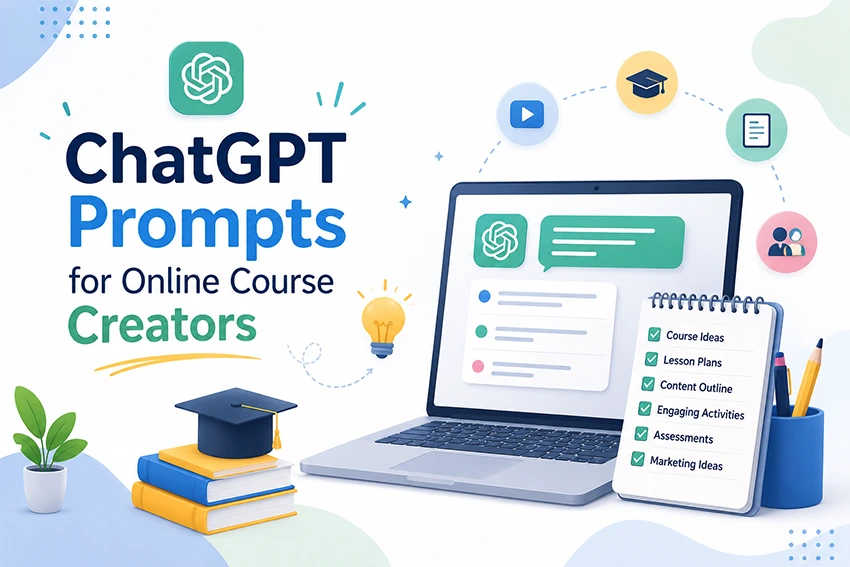
Creating an online course has become much easier than before, yet developing a high-quality course still requires significant time and effort. With the right ChatGPT prompts for online course creators, you can plan your curriculum, prepare lessons, write video scripts, create quizzes, generate marketing content, and prepare answers to common student questions.
Fill the form and click "Generate Prompt"
Your professional AI prompt will appear here
Today, course creators sell digital learning programs through platforms such as YouTube, Udemy, Skillshare, and their own websites. However, creating a successful course involves much more than recording videos. Research, curriculum planning, lesson writing, assignments, quizzes, marketing, email campaigns, and student support can all require significant time.
ChatGPT can act as a flexible AI assistant throughout the online course creation process. It can help transform your ideas into structured educational content while allowing you to review, edit, and personalize the final material.
ChatGPT can help course creators with the following tasks:

1. Preparing a Course Outline
ChatGPT can assist in creating a clear and organized roadmap for your course. It can help define course objectives, learning outcomes, topics, modules, and lesson sequences so students can follow the material more easily.
For courses that focus on individual learning goals, you can also use AI prompts to create personalized learning plans and structured learning.
2. Creating Modules and Lessons
AI prompts for lesson planning can help divide a course into logical modules and smaller, easy-to-understand lessons. ChatGPT can suggest learning objectives, explanations, examples, activities, and practice exercises for each lesson.
3. Writing Video Scripts
ChatGPT can create clear, engaging, and well-structured scripts for educational videos. You can specify the video duration, audience, tone, teaching style, examples, and learning objectives to produce a more useful starting draft.
4. Preparing Quizzes and Tests
ChatGPT can generate multiple-choice questions, true-or-false questions, short-answer questions, and practice assessments based on your course material. This makes it easier to check student understanding and reinforce important concepts.
5. Creating PDF Notes
ChatGPT can help prepare concise and organized study notes that summarize important concepts from your lessons. These notes can support quick revision and give students a useful reference alongside video lessons.
6. Writing Marketing Copy
ChatGPT can create marketing copy for your online course, including headlines, benefit statements, promotional messages, calls to action, and course descriptions. You can provide your target audience and course positioning to make the copy more relevant.
For better results, learn how to create clearer and more effective AI prompts before developing complex course content or promotional campaigns.
7. Creating Email Campaigns
ChatGPT can prepare professional email sequences for students and potential customers. It can help create welcome emails, educational messages, promotional campaigns, enrollment reminders, and follow-up messages.
8. Creating Social Media Posts
Social media can help course creators build awareness and attract potential learners. ChatGPT can generate platform-specific content for Facebook, Instagram, LinkedIn, and other social networks while adapting the message to different audiences.
To expand your content ideas, find AI prompts for creating engaging social media content that can be adapted to course promotion.
9. Writing FAQs
ChatGPT can help prepare frequently asked questions and clear answers about your course. Common topics may include course duration, difficulty level, required tools, certification, lessons, pricing, access, and learning outcomes.
10. Preparing Answers to Students’ Questions
ChatGPT can help draft clear and easy-to-understand responses to common academic, technical, or course-related questions. Course creators should still review these responses carefully and add their own expertise before sharing them with learners.
If you regularly create online courses, ChatGPT can function as a digital assistant for many repetitive tasks. It can reduce research time, support content creation, organize ideas, and help you develop new educational materials more efficiently.
However, AI-generated content should not simply be copied and published without review. The final course should reflect your own knowledge, experience, teaching approach, examples, and expertise. This helps make your course more credible, useful, and distinctive.
Many course creators use ChatGPT for more than writing. It can support curriculum planning, audience research, student feedback analysis, course promotion, and content strategy. The quality of the result depends heavily on how clearly you communicate your requirements.
1. Prompt for Creating a Course Outline
Prompt: “I am creating an online course on [your topic]. Prepare 10 detailed modules for beginners. Include learning objectives, key topics, practical activities, and a summary at the end of each module. Keep the language simple, engaging, and easy to understand.”
2. Prompt for Creating a Video Script
Prompt: “Create a 10-minute video script for my online course. Start with an engaging introduction, explain the topic in simple language, include relevant real-world examples, add transitions between important points, and finish by encouraging students to continue to the next lesson.”
3. Prompt for Creating a Quiz
Prompt: “Create a 15-question quiz for this chapter of my course. Include multiple-choice, true/false, and short-answer questions. Provide the correct answer and a brief explanation for each question so students can understand and learn from their mistakes.”
4. Prompt for Creating an Assignment
Prompt: “Prepare a practical assignment based on the subject of this course. Include clear instructions, learning objectives, required tools, suggested completion time, evaluation criteria, expected outcomes, and useful tips that will help students complete the assignment successfully.”
5. Prompt for Writing the Course Description
Prompt: “Write an SEO-friendly course description for my online course. Explain the main benefits, what students will learn, who the course is designed for, the problems it helps solve, and why learners should choose this course. Use clear, persuasive, and easy-to-understand language.”
6. Prompt for Creating Landing Page Content
Prompt: “Act as an expert educational copywriter and create a professional sales page for my online training program. Write an attention-grabbing headline, compelling introduction, course benefits, learning outcomes, target audience section, course modules, testimonial placeholders, frequently asked questions, and a strong enrollment call to action.”
Course creators can also use AI strategies to build stronger course marketing content across different promotional channels.
7. Prompt for Email Marketing
Prompt: “Create a series of five emails to promote my new online course. Give each email a distinct purpose, such as introducing the course, explaining its benefits, sharing a learner success story, presenting a special offer, and sending a final registration reminder. Keep the tone helpful and persuasive without sounding overly promotional.”
8. Prompt for Social Media Posts
Prompt: “Write separate social media posts for Facebook, Instagram, and LinkedIn to promote my online course. Adapt the style and length for each platform. Include a compelling opening, key course benefits, a relevant audience-focused message, and a clear call to action for registration.”
9. Prompt for Suggesting a Course Name
Prompt: “Suggest 20 engaging, memorable, and SEO-friendly names for an online course related to [subject]. Make each name relevant to the target audience and include a brief explanation of why the name could appeal to potential students.”
10. Prompt for Analyzing Student Feedback
Prompt: “Analyze the following student reviews and feedback carefully. Create a clear summary covering common difficulties faced by learners, the most helpful parts of the course, areas that need improvement, recurring suggestions, and practical recommendations for making the next course update more effective.”
Well-written prompts generally produce more useful results because they give ChatGPT enough context to understand the task. Instead of asking for generic content, explain exactly what you want the AI to create.
Course creators can use AI prompts to develop supporting content that helps attract potential students through search engines. For example, ChatGPT can generate blog topic ideas, article outlines, keyword-focused headings, FAQs, meta descriptions, and promotional content.
If your course website relies on educational articles for organic traffic, create SEO-focused blog content for your online course and use those resources to answer questions your target learners are already searching for.
AI can also help turn one course topic into multiple content formats, such as blog posts, social media updates, email newsletters, video ideas, and downloadable resources. This creates a more consistent content strategy without starting every piece from scratch.
ChatGPT can make course development faster, but course creators should remain responsible for the quality and accuracy of their educational material. AI-generated information may contain errors, outdated claims, unclear explanations, or inappropriate examples.
Before publishing AI-assisted course content, review important facts, verify sources, check examples, and make sure the material matches your learning objectives. Your own experience and expertise should remain central to the course.
You should also avoid entering confidential student information or other sensitive data into AI tools. When analyzing learner feedback, remove unnecessary personal information and follow the privacy requirements that apply to your business and audience.
One of the biggest advantages of AI for course creators is the ability to reduce repetitive work. Instead of spending hours starting every task from a blank page, creators can use prompts to generate a first draft and then improve it using their own knowledge.
For example, one course topic can be transformed into a structured curriculum, individual lesson plans, video scripts, quizzes, assignments, email campaigns, social posts, FAQs, and promotional content. This gives creators more time to focus on teaching quality, student engagement, and course improvement.
To show what the generator above produces, we filled it in with a realistic scenario and copied the result exactly as the tool returned it. Nothing below was edited by hand.
You are an experienced instructional designer, curriculum developer, and online course creation expert specializing in creating engaging, learner-focused educational content.

Create a professional online course using the following information:

- Course Topic: Programming
- Target Audience: Beginners
- Course Format: Video-based
- Course Length: Medium (4-8 hours)
- Course Level: Basic
- Instructional Method: Project-based
- Course Language: English
- Course Platform: Udemy

Additional Information
Focus on building two portfolio projects.

Design a complete course that matches the selected audience, learning level, and platform.

When appropriate, include:

- An engaging course title
- Course overview
- Learning objectives
- Skills students will gain
- Target audience description
- Course prerequisites
- Well-structured modules and lessons
- Practical exercises or projects
- Quizzes or assessments
- Real-world examples
- Best practices
- Common mistakes to avoid
- Course completion outcomes
- Actionable learning tips

Write in English using a clear, engaging, and professional style suitable for the selected audience. Structure the response with headings, bullet points, and logical sections for easy reading.

Ensure the course content is practical, organized, easy to follow, and optimized for publishing on Udemy. Generate a complete, ready-to-use course outline with minimal editing required.
Good for turning a course idea into a structured outline. Topic, audience, format, length, level, teaching method, language and platform are all set, and the extra note asks for two portfolio projects. Review the outline for accuracy, add your own expertise before you record anything, and check the platform's current course requirements.
Online course creators are individuals, educators, professionals, coaches, and businesses that design and sell digital learning programs. They organize their knowledge into structured lessons so students can develop skills and learn from anywhere with an internet connection.
Online course creators use video recording and editing software, AI platforms, presentation tools, learning management systems, email marketing platforms, and website builders. Many creators also use ChatGPT to assist with course outlines, lesson content, quizzes, scripts, and marketing materials.
Online course creators can earn money by selling courses through platforms such as Udemy, Teachable, Skillshare, or their own websites. Some creators also use memberships, coaching programs, digital products, workshops, and subscription-based learning communities to generate additional revenue.
Online course creators contribute to modern education by making learning more flexible and accessible. Students can learn new skills from experienced professionals without attending traditional classrooms, while creators can share specialized knowledge with learners around the world.
Beginners can start by choosing a subject they understand well, identifying a specific target audience, defining clear learning outcomes, and organizing the material into structured lessons. They can then create videos, notes, quizzes, and assignments using accessible content creation and AI tools. Starting with a focused course and improving it based on student feedback can make the process more manageable.
ChatGPT prompts for online course creators can be more than a simple time-saving resource. When used correctly, they can support almost every stage of online course development, from curriculum planning and lesson creation to quizzes, assignments, video scripts, marketing campaigns, and student communication.
The most effective approach is to use AI as a supporting tool rather than a replacement for your expertise. Give ChatGPT clear instructions, provide enough context, review the generated content, and personalize the final material with your own knowledge and teaching experience.
With a thoughtful AI workflow and well-designed prompts, course creators can streamline content production, improve consistency, and spend more time creating valuable learning experiences for their students.

About the author
Best Prompt Generator for AI Team
Best Prompt Generator for AI Team is the small team behind bestpromptgeneratorforai.com, based in Rajkot, Gujarat, India. We build free tools that turn a rough idea into a clear, structured prompt for ChatGPT, Claude, Gemini, Midjourney and other AI tools, and we publish practical guides and prompt examples for creators, marketers and everyday users. Every tool and article is written and reviewed by our team before it is published. Questions or corrections: info@bestpromptgeneratorforai.com. Our tools are free to use, with an optional Pro plan for higher monthly limits.