Written by Best Prompt Generator for AI Team
Reviewed by our team before publishing — learn more about us


Written by Best Prompt Generator for AI Team
Reviewed by our team before publishing — learn more about us
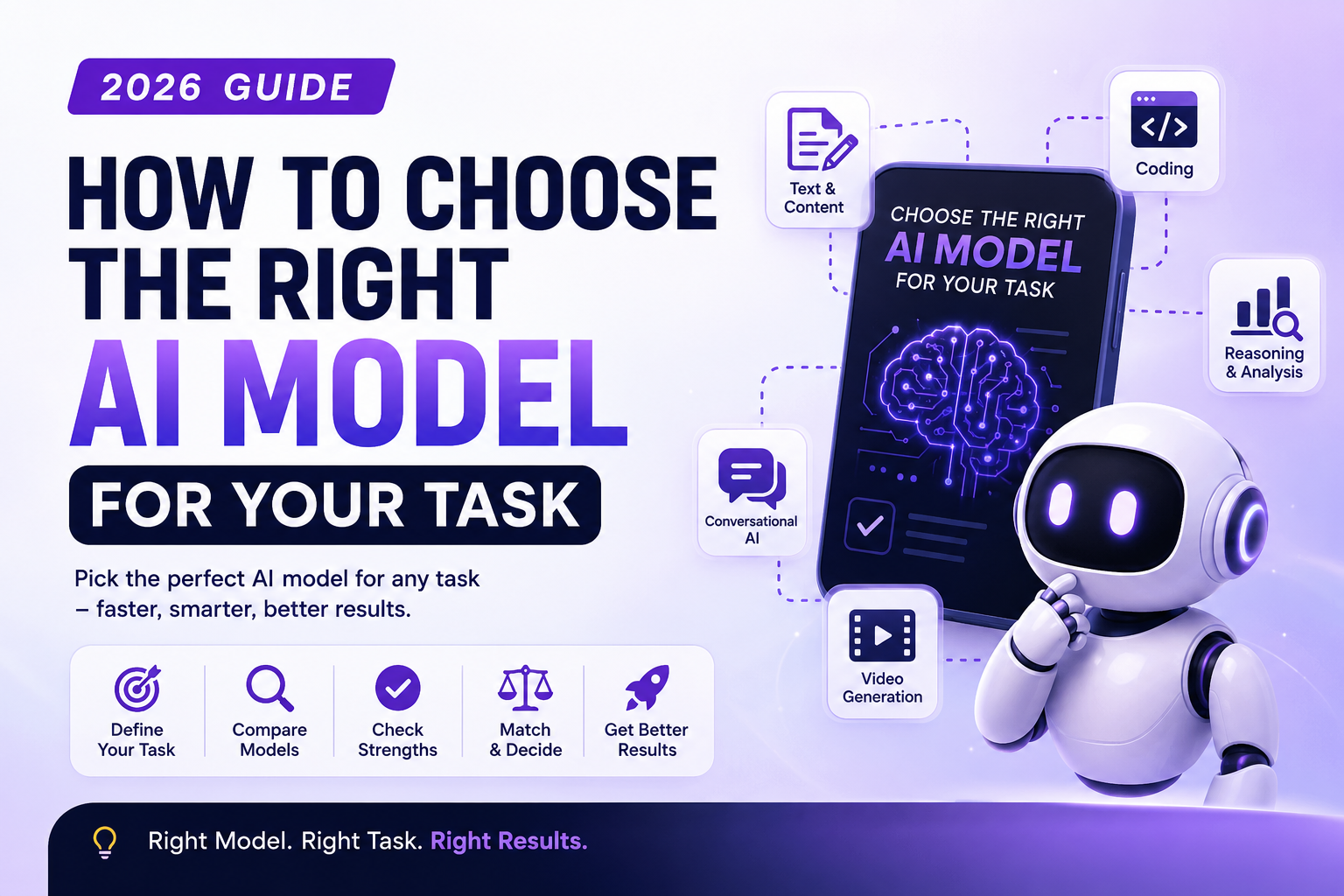
Choosing the right AI model depends on the type of task you want to perform. Language models like ChatGPT and Claude are useful for writing and reasoning, while image models such as Midjourney and Flux are designed for visual creation. How to choose the right AI model for your task 2026 is mainly about matching the model’s strengths to your specific requirements.
Picking an AI model used to be simple: you opened ChatGPT and used whatever was available. Not anymore. In 2026, you’re choosing between GPT-5, Claude, Gemini, Llama, Grok, and a wide range of specialized image and video models.
This guide explains how to choose the right AI model for your task, whether you’re writing blog content, generating images, coding an app, analyzing information, or building a video ad. By the end, you’ll have a simple AI Model Selection Guide that you can reuse whenever you need to choose a model.
Every AI model is designed and optimized differently, and those differences can affect the quality, speed, cost, and format of the output.
Some models are better suited to long-form writing and reasoning, while others are designed for coding, image generation, video creation, or fast everyday tasks.
Using the wrong model for a task can result in:
Choosing the right model isn’t about finding the single Best AI Model 2026. It is about finding the Best AI Model for Your Task.
If you’re wondering how to pick the best AI model for a specific task, start by identifying exactly what you want the AI to accomplish.
For example, writing a blog post and generating a product image are completely different tasks. The best model for one may not be the best model for another.
Before choosing a model, ask:
Once you answer these questions, your choices become much clearer.
Before comparing models, get specific about the task. “I need an AI” is too vague.
For blog posts, emails, product descriptions, scripts, summaries, and research, look for a model with strong writing, instruction-following, and context capabilities.
For data analysis, mathematics, strategic planning, complex questions, and detailed problem-solving, prioritize reasoning ability and accuracy.
For writing new code, debugging, refactoring, and building applications, consider models that can handle large code contexts and complex programming instructions.
For product photos, illustrations, social media graphics, concept art, and creative visuals, use an image-generation model designed for visual output.
For advertisements, explainers, social media videos, reels, and cinematic scenes, look for models with strong motion and scene-control capabilities.
For customer support, tutoring, brainstorming, quick questions, and everyday assistance, speed, cost, and reliable instruction-following can be more important than maximum reasoning power.
If your main goal is content creation, how to select the right AI model for content creation depends on the type and complexity of the content.
For example:
The prompt is also important. A good AI model paired with a weak prompt can still produce poor results.
For better prompting, you can use our guide on How to Write Perfect AI Prompts.
Choosing the right AI model for business use requires considering more than output quality.
Businesses should also consider:
For example, a company generating thousands of simple customer responses may prioritize speed and cost, while a business performing complex analysis may prioritize reasoning quality.
If you’re creating prompts for business workflows, our AI prompt generator for marketing teams can also provide useful ideas for structuring business-focused prompts.
Here’s a practical framework for comparing model capabilities:
| Task Type | Look for a Model That’s Strong In | Examples |
|---|---|---|
| Long-form writing | Structure, tone control, consistency | Blog posts, scripts, reports |
| Deep reasoning | Logic, analysis, accuracy | Research, strategy, complex Q&A |
| Coding | Context, debugging, code generation | Apps, automation, software |
| Image generation | Visual quality, prompt fidelity | Ads, product images, artwork |
| Video generation | Motion and scene consistency | Reels, advertisements, videos |
| Fast everyday tasks | Speed and low cost | Replies, summaries, simple edits |
Key idea: A model that is excellent at creative writing isn’t automatically the best choice for debugging code. Similarly, a model designed for fast everyday tasks may not be the best option for deep research.
Match the model’s strengths to the job rather than choosing based only on popularity.
If you’re working with long documents, large codebases, or long conversations, choose a model that can handle the amount of information you need to provide.
Some tasks need fast answers, while others benefit from deeper reasoning.
Choose speed when you’re handling large volumes of simple tasks. Choose deeper reasoning when accuracy and complexity are more important.
If your task involves images, PDFs, audio, or video, confirm that the model supports the required input and output types.
Using a premium model for a simple rewrite may not be necessary. Consider the value and complexity of each task before selecting the most expensive option.
If you need JSON, tables, structured data, code, or another specific format, choose a model that follows formatting instructions reliably.
If you’re asking how to know which AI model to use, create a simple decision process.
For writing: Choose a model with strong language and instruction-following capabilities.
For reasoning: Choose a model designed for complex analysis.
For coding: Choose a model that handles programming and large code contexts well.
For images: Choose a dedicated image-generation model.
For video: Choose a model optimized for video creation.
For simple tasks: Prioritize speed and affordability.
This makes Choose the Right AI Model a task-specific decision rather than a popularity contest.
If you’re still asking, how do I know which AI model to use for my task, compare your requirements against the model’s capabilities.
A simple framework is:
Task → Complexity → Input Type → Output Type → Speed → Cost → Model
For example:
Task: Write an SEO article
Complexity: High
Input: Text and research
Output: Long-form text
Priority: Quality and structure
This immediately narrows your model options.
Here’s what many users miss: even the right model can produce weak results if the prompt is vague.
A well-structured prompt tells the model:
This is where a structured AI prompt generator becomes useful.
A good prompt can help you work consistently across different models instead of rewriting your instructions from scratch.
If you want to understand how prompt length affects AI responses, see how long an AI prompt should be.
A free AI prompt generator for any AI model can help users create structured instructions for different AI systems.
Instead of starting with a vague idea, you can provide:
The generated prompt can then be adjusted for the specific AI model you want to use.
This is especially useful when you’re working with multiple AI platforms and want to maintain consistent instructions.
For users comparing different prompt tools, you can also explore our best AI prompt tools compared in 2026.
An AI prompt generator for ChatGPT Claude Gemini can help users create prompts that are easier to adapt across popular AI models.
Although the same basic prompt can often be used with multiple models, you may need to adjust the wording, format, context, or level of detail depending on the model.
For example, a prompt could specify:
“Act as an SEO content strategist. Analyze the following topic and create a detailed content outline with H2 and H3 headings, search intent, target audience, keyword suggestions, FAQs, and internal linking opportunities.”
You can then test that prompt across different models and compare the results.
There are many situations where tools to generate prompts for AI models can save time.
They can help you create prompts for:
The goal isn’t simply to create longer prompts. The goal is to create prompts that clearly communicate the task and expected result.
Instead of assuming one model is always better, test your actual task.
If you’re wondering how to test which AI model works best, use the same prompt and input with two or three models.
Then compare:
For recurring business tasks, this simple test can help you identify the model that provides the best balance of quality and cost.
This is also the practical approach behind AI Model Comparison 2026: compare models according to the work you actually need them to perform.
When comparing models, create a simple scorecard.
| Factor | Question |
|---|---|
| Quality | Does the output meet your requirements? |
| Accuracy | Does it provide reliable information? |
| Speed | How quickly does it respond? |
| Cost | Is the cost appropriate for the task? |
| Context | Can it handle your input size? |
| Multimodal | Does it support the required media? |
| Control | Does it follow formatting instructions? |
The best model is the one that performs well against the factors that matter most for your specific workflow.
Use this quick guide when you need to Choose the Right AI Model:
| If you need to… | Prioritize… |
|---|---|
| Write articles | Writing quality and structure |
| Analyze complex information | Reasoning |
| Build software | Coding and context |
| Create images | Visual generation |
| Create videos | Motion and scene consistency |
| Answer simple questions | Speed and cost |
| Process large documents | Large context |
| Work with multiple media types | Multimodal capabilities |
There is no universal winner. Your Best AI Model for Your Task depends on your requirements.
Start by identifying your task type, input, output, complexity, required speed, and budget. Then compare models based on the capabilities that matter most for your workflow.
There is no single best AI model for every task. The Best AI Model 2026 depends on whether you need writing, reasoning, coding, image generation, video creation, or another capability.
Use the same prompt and input with two or three models. Compare accuracy, quality, completeness, speed, formatting, and cost.
For content creation, consider writing quality, long-context capabilities, instruction following, tone control, and formatting. Your prompt should also clearly describe the content requirements.
You can, but it may not always be the most efficient approach. Specialized models can perform better for specific tasks such as image generation, video creation, or complex reasoning.
An AI Model Selection Guide is a framework for choosing an AI model according to factors such as task type, reasoning requirements, context size, multimodal support, speed, cost, and output quality.
There’s no single “best” AI model for everyone. The best choice depends on what you are actually trying to accomplish.
If you’re learning how to choose the right AI model for your task 2026, start by defining your task, checking the complexity, identifying the input and output requirements, and comparing speed, quality, context, multimodal capabilities, and cost.
Whether you need to know how to pick the best AI model for a specific task, how to select the right AI model for content creation, or how to know which AI model to use, the same basic framework can help.
You can also use a free AI prompt generator for any AI model to create clearer instructions and then test the same prompt across different systems.
Ultimately, AI Model Comparison 2026 should not be about deciding which model is universally the best. It should be about finding the model that gives you the best combination of quality, speed, cost, and reliability for your particular task.

About the author
Best Prompt Generator for AI Team
Best Prompt Generator for AI Team is the small team behind bestpromptgeneratorforai.com, based in Rajkot, Gujarat, India. We build free tools that turn a rough idea into a clear, structured prompt for ChatGPT, Claude, Gemini, Midjourney and other AI tools, and we publish practical guides and prompt examples for creators, marketers and everyday users. Every tool and article is written and reviewed by our team before it is published. Questions or corrections: info@bestpromptgeneratorforai.com. Our tools are free to use, with an optional Pro plan for higher monthly limits.
Enter a subject and AI will instantly build the best form for you — up to 10 smart fields.
Searching best fields for your subject…
These fields were crafted specifically for your prompt type.
Generating your optimised prompt…