Written by Best Prompt Generator for AI Team
Reviewed by our team before publishing — learn more about us


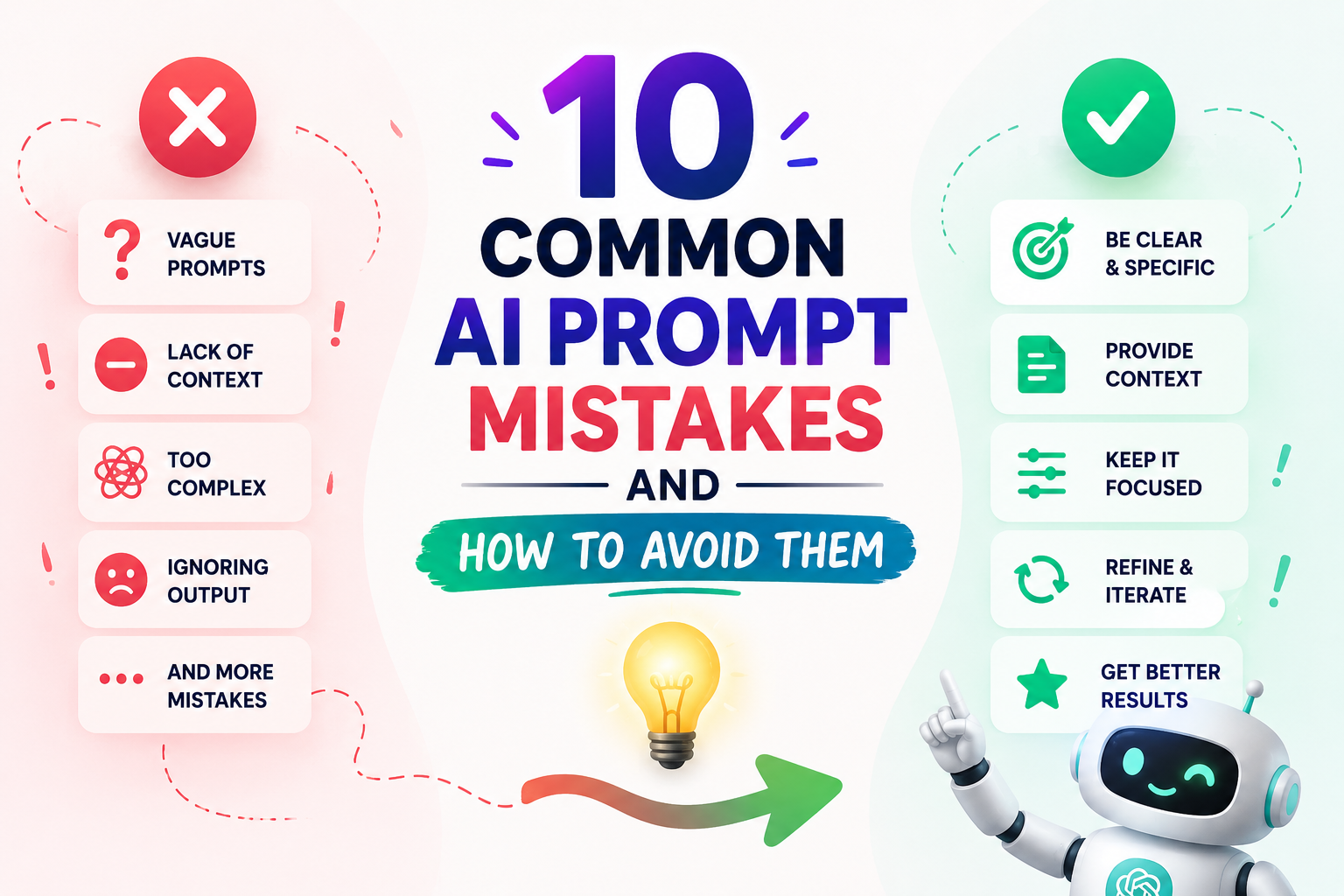
AI can provide highly useful results, but the quality of the output depends largely on how clearly you communicate with it. Many people make common AI prompt mistakes, such as giving unclear instructions, failing to define the target audience, leaving out important details, asking multiple questions at once, or not specifying the desired output format. These mistakes can lead to inaccurate, irrelevant, or incomplete responses.
Nowadays, Artificial Intelligence (AI) is being used rapidly across almost every field. Tools such as ChatGPT, Gemini, Claude, and other AI platforms are making people’s work easier and faster. However, many users still complain that the answers generated by AI do not match their expectations.
The main reason is often not the AI tool itself but the way the prompt is written. If you do not provide clear instructions and relevant context, the AI may not understand exactly what you want.
In this article, we will explore 10 common AI prompt mistakes and learn how to write better AI prompts so you can get clearer, more accurate, and more useful AI responses.
An AI prompt is an instruction, question, or set of directions given to an AI tool. The AI interprets the information in your prompt and generates a response based on the instructions and context you provide.
For example:
Bad Prompt: “Tell me about SEO.”
Good Prompt: “What is SEO? Explain five essential SEO techniques for beginners using simple language. Give a short explanation and one practical example for each technique.”
The second prompt is more specific because it explains the topic, audience, language, structure, and expected level of detail.
Understanding prompt engineering principles helps you create clearer instructions and improve the consistency of AI-generated responses.
AI prompt mistakes are errors people make when giving instructions or questions to an AI tool. These mistakes often lead to poor-quality responses, incomplete answers, irrelevant information, or content that does not match the user’s requirements.
By learning how to avoid common AI prompting mistakes, you can improve the quality of AI-generated content and reduce the amount of editing required.
One of the most common AI prompt mistakes is providing unclear or incomplete instructions. When you give an AI tool a very vague prompt, it may not understand your exact intention. As a result, the response can be generic, incomplete, or unrelated to your actual needs.
What is an ambiguous prompt?
An ambiguous prompt is one that:
For example, instead of asking, “Write about digital marketing,” provide details about the audience, purpose, content length, tone, and format.
This makes it easier for AI to understand what you actually want.
People often make a critical mistake when working with AI: they do not provide enough context in their prompts. AI is a powerful tool, but it cannot automatically know your goals, background information, business requirements, or audience expectations.
If you do not provide sufficient information, the AI may generate a response that is technically relevant but not useful for your specific situation.
Key benefits of providing context:
Providing context becomes especially important when using AI for complex marketing, content, or business tasks.
Many people make another common AI prompt mistake by placing too many instructions into a single prompt without organizing them properly.
They may ask the AI to research a topic, write an article, create social media posts, optimize the content for SEO, create an email, and summarize everything in the same instruction.
Although AI can handle complex requests, poorly organized instructions can make it harder to identify priorities and produce the exact output you expect.
Problems with long and confusing prompts:
Instead of adding unrelated tasks together, organize complex prompts into clear steps and explain which instructions are most important.
To get a useful response from AI tools such as ChatGPT, simply stating the subject is not always enough. You should also explain what type of answer you want.
If you do not specify the output format, the AI may provide information in a format that requires significant editing.
Simply put, you need to tell the AI not only what to write but also how you want the information presented.
What is Output Format?
Output format refers to the structure or presentation of the response generated by AI.
For example, you can ask AI to provide information as:
Why is it necessary to specify the Output Format?
A good prompt should make three things clear:
When creating content through AI, people often specify the topic but fail to explain who the content is intended for. This can cause AI to generate a general response that may not be suitable for the intended audience.
Every piece of content should be created with a specific audience in mind. Defining the target audience helps AI select the appropriate language, tone, examples, and level of detail.
What is the Target Audience?
A target audience is the specific group of people that your content is intended to reach.
For example, if you want to create content about “Digital Marketing,” the response can be different depending on the audience:
So before creating content, it is important to clearly define who will read or use it.
Why is defining the target audience important?
This small adjustment can prevent many AI prompt mistakes and improve content relevance and engagement.
When using AI, many people ask several unrelated questions in one prompt because they want to save time. However, combining too many tasks or questions without clear structure can make it difficult for the AI to give equal attention to every requirement.
Asking multiple questions in a single prompt is not always wrong. The problem occurs when the questions are unrelated, poorly organized, or lack sufficient context.
What challenges can arise when multiple questions are included in one prompt?
For complex tasks, separate the instructions into clear steps or ask the AI to answer each requirement in a specific section.
Another common AI prompt mistake is explaining what you want without providing examples. Examples can help AI understand your preferred writing style, structure, tone, formatting, or level of detail.
Giving examples can make AI-generated responses more specific and closer to your expectations.
In simple terms, showing AI what a successful output looks like can help guide it toward a similar result.
Why is it necessary to provide examples in an AI prompt?
Examples are particularly useful when you need AI to follow a specific brand voice, writing structure, formatting style, or content pattern.
Many people make the mistake of accepting the first response generated by AI without reviewing or refining it. However, the first response is not always the best possible result.
Refining an AI response is an important part of effective prompt engineering. You can provide additional instructions after receiving the initial answer to make the output clearer, more accurate, or better suited to your requirements.
Simply put, working with AI does not have to be limited to one question and one answer.
What is AI Response Refinement?
AI response refinement is the process of giving additional instructions to improve an existing AI-generated response.
For example, you can ask AI to:
Why do people make this mistake?
Many users assume that the first AI response will be perfect. In reality, providing feedback and additional instructions can help guide the AI toward a more useful result.
Why is it necessary to improve an AI response?
When using AI to create SEO content, many users provide only the topic and overlook important details such as target keywords, search intent, content goals, and audience needs.
This is a common prompt engineering mistake because AI may create generic content when it does not know what the content is intended to achieve.
For SEO-focused content, the prompt should clearly explain the target keyword, related terms, search intent, audience, content purpose, and desired structure.
Why is it important to state keywords and goals?
For more effective optimization, use SEO writing prompts that align content with search intent rather than asking AI to write generic articles.
When working with AI, many people write one prompt, receive an answer, and stop there. They do not consider whether the prompt could be improved.
In reality, effective prompts often require testing and refinement. Small changes to the instructions, context, examples, or output requirements can produce noticeably different results.
This is an important part of prompt engineering and AI prompt optimization.
Why is it important to test prompts?
Problems caused by not optimizing prompts:
Testing different versions of a prompt can help you identify which instructions consistently produce the most useful results.
To consistently avoid AI prompt mistakes, follow these simple guidelines:
A reusable prompt template can also help you maintain consistency across different AI tasks. For example, you can create a structure containing the role, context, task, audience, requirements, output format, and quality criteria.
For practical guidance on creating high-quality prompts, follow these AI prompt best practices for better results.
You should never put passwords, financial account numbers, medical records, other people’s personal information, or confidential work documents into an AI prompt unless you’re using a tool with a specific enterprise data agreement. Most consumer AI tools may store, log, or use your input to improve their models, so anything you type should be treated as something you’re comfortable sharing more broadly.
It’s easy to treat a chat window like a private notebook. It isn’t. Depending on the tool and your account settings, your prompts can be logged for abuse monitoring, reviewed by human trainers, or used to improve future models. Even when a company says it won’t train on your data, that protection usually only applies to specific account tiers or settings you may not have enabled.
The risk isn’t hypothetical. Employees at several major companies have been restricted or banned from using public AI tools for work tasks after sensitive source code or internal documents were pasted into a prompt and effectively left the building. The same logic applies to personal use: anything you paste into a prompt should be treated as data you no longer fully control.
Never paste passwords, API keys, security questions and answers, or two-factor codes into a prompt, even to ask an AI tool to “check if this is secure.” Test with a fake example instead.
Bank account numbers, credit card numbers, routing numbers, and full statements should stay out of prompts entirely. If you want help understanding a financial document, redact account numbers first or describe the numbers in general terms.
Social Security numbers, passport numbers, driver’s license numbers, and tax ID numbers are exactly the kind of data that identity thieves look for. There’s rarely a reason an AI tool needs the actual number to help you with a task.
Specific diagnoses, prescription details, and other people’s health information carry real privacy weight, especially if you’re asking on behalf of a patient, client, or family member. General, anonymized questions (“what are common side effects of X medication”) are a safer way to get the same information.
Sharing a coworker’s home address, a client’s private details, or a friend’s personal situation without their knowledge extends the privacy risk to someone who never agreed to it. If you need help drafting something about another person, use a placeholder name and role instead.
Unreleased product plans, internal financials, proprietary source code, and client contracts often contain information your employer has a legal obligation to protect. Many companies now have explicit policies against pasting this kind of material into public AI tools — check yours before you do.
A simple test: if you wouldn’t be comfortable with this text appearing in a public forum post under your name, don’t put it in a prompt to a consumer AI tool.
If you’re using a prompt generator to structure your request, the same rule applies to the details you fill into the form — the generator organizes your input, it doesn’t make sensitive data safe to share.
It depends on the information. General questions about yourself are usually fine, but sensitive details like passwords, financial account numbers, or medical records should stay out of any prompt, since you can’t fully control how that data is stored or used afterward.
Policies vary by company and account tier. Many services log prompts for safety monitoring and may use them to improve models unless you’ve specifically opted out or are on a business plan with different data terms. Check your specific tool’s privacy policy rather than assuming.
Most major AI tools let you delete conversations from your account, but deletion from your view doesn’t always mean immediate deletion from backend logs used for safety or abuse review. Treat deletion as good practice, not a guarantee.
Only if your employer has explicitly approved that tool for that purpose. Many companies now restrict which AI tools employees can use with internal documents, specifically because of this risk.
Replace real identifying details with placeholders before pasting, or describe the situation in general terms and ask for a template or structure rather than feeding in the actual sensitive content.
Further reading for this section:
AI prompt mistakes are common errors people make when giving instructions to AI tools. These mistakes can include vague instructions, missing context, unclear output requirements, undefined audiences, and poorly organized requests. They can lead to inaccurate, incomplete, or low-quality responses.
One of the most common AI prompt mistakes is being too vague. When a prompt does not provide enough information about the task, audience, context, or expected result, AI may generate a generic or irrelevant response.
You can avoid AI prompt mistakes by being specific, providing relevant context, defining your goal, identifying the target audience, explaining the desired format, and reviewing the AI response. Testing and refining prompts can also improve results.
AI generates responses based on the instructions and information provided in the prompt. If the prompt is unclear, incomplete, or poorly structured, the AI may misunderstand the user’s requirements and produce a response that does not meet expectations.
Yes. AI prompt mistakes can result in weak content, irrelevant topics, inconsistent tone, missed SEO requirements, and content that does not match the target audience. Clear prompts help content teams generate more focused and useful first drafts.
To write better AI prompts, clearly define the task, provide context, identify the target audience, explain the goal, specify the desired format, include relevant constraints, and provide examples when necessary. You can then refine the response with follow-up instructions.
Yes, when creating SEO-focused content, it can be useful to provide the primary keyword, related terms, search intent, target audience, and content goal. This gives the AI clearer direction and helps keep the generated content focused.
No. The first AI response may need refinement. You can provide follow-up instructions to improve its accuracy, structure, tone, length, clarity, or usefulness. Testing and refining prompts is an important part of effective AI prompting.
Learning to avoid AI prompt mistakes can make a significant difference in the quality of AI-generated content. Whether you are a blogger, marketer, student, agency professional, or business owner, better prompts can lead to clearer, more relevant, and more useful AI responses.
The most common problems include vague instructions, missing context, unclear output formats, undefined audiences, excessive complexity, and failing to refine or test prompts.
By being clear, specific, organized, and intentional with your instructions, you can improve your AI workflow and get better results from tools such as ChatGPT, Gemini, Claude, and other AI platforms.
The next time you use an AI tool, review your prompt before submitting it. Small improvements in your instructions can lead to significantly better outcomes and reduce the amount of editing required.

About the author
Best Prompt Generator for AI Team
Best Prompt Generator for AI Team is the small team behind bestpromptgeneratorforai.com, based in Rajkot, Gujarat, India. We build free tools that turn a rough idea into a clear, structured prompt for ChatGPT, Claude, Gemini, Midjourney and other AI tools, and we publish practical guides and prompt examples for creators, marketers and everyday users. Every tool and article is written and reviewed by our team before it is published. Questions or corrections: info@bestpromptgeneratorforai.com. Our tools are free to use, with an optional Pro plan for higher monthly limits.